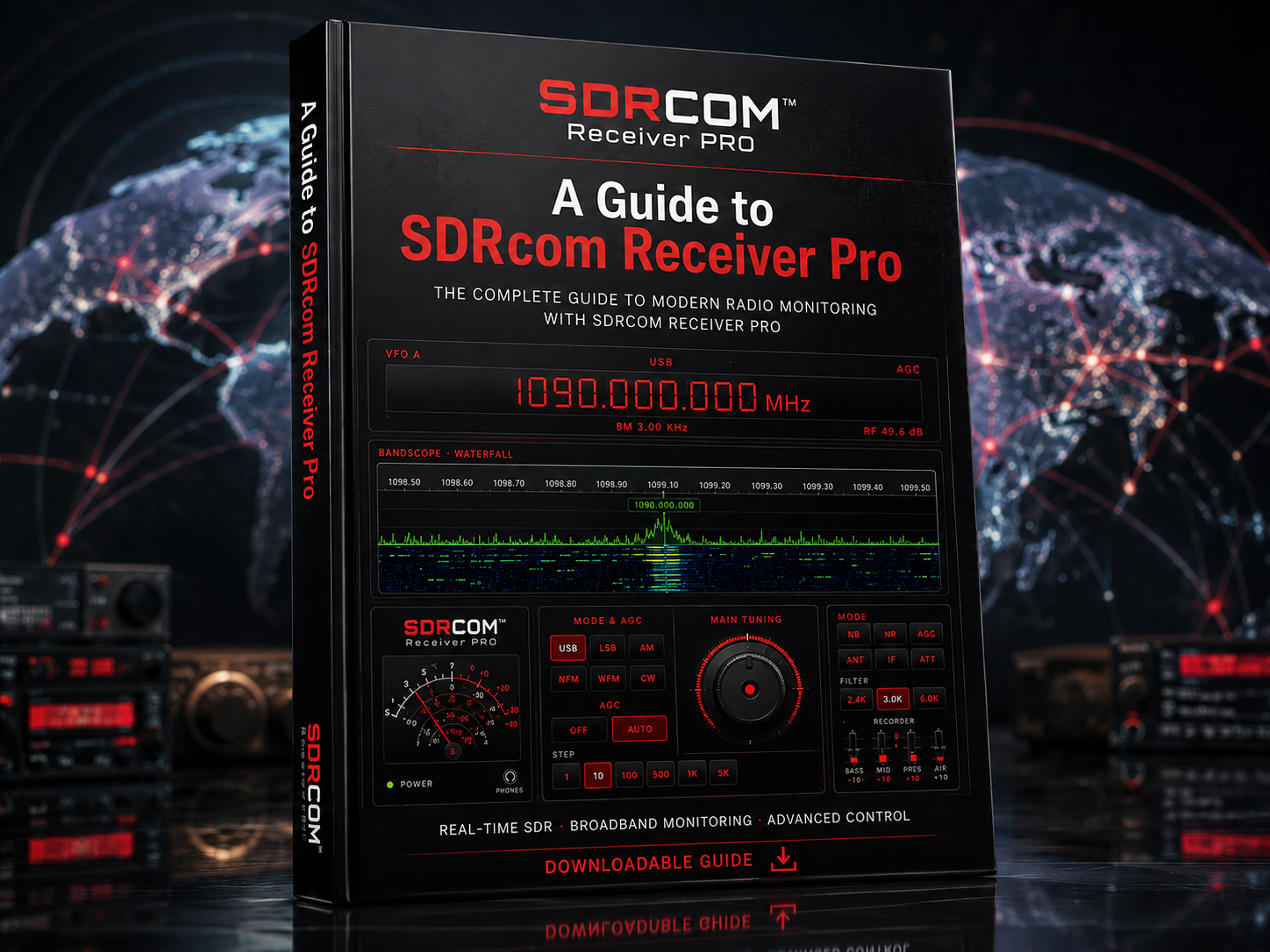
The SDR that works with most everything
What SDRcom Pro is, in one paragraph
SDRcom Pro is a complete, modern software-defined-radio receiver that you open in a web browser — or install as a desktop application if you prefer. Plug in an inexpensive USB dongle and you have a real radio: a working analogue S-meter, a GPU-accelerated waterfall, every common listening mode, a four-band DSP noise-reduction equaliser, three noise blankers, a thousand memories, a WAV recorder with a scheduler, clean-room FT8, FT4, CW and SSTV decoders, a full ADS-B aircraft-tracking engine with a 3-D sky view, live signal intelligence about what you are hearing — and an intelligent multiband scanner that finds real activity for you and decides, like an experienced operator, when to hold and when to move on. Nothing to install, no drivers, no Zadig. Open SDRcom.com and listen.
This guide is the complete, independent reference for SDRcom Pro and its sister editions — Red (your own USB dongle), Blue (SDRplay® desktop receivers) and Green (hundreds of network receivers worldwide). You do not need to read it front to back; use the contents to jump to what you need.
Table of contents
- The big picture
- The two ways to run SDRcom Pro
- What you need: hardware and antenna
- Getting started: your first listen
- The four faceplates
- The receiver, part by part
- Noise: blankers, reduction and filtering
- Memories: a thousand frequencies, and a scanner for them
- The Auto-Lock multiband scanner
- Band profiles and the utilities strip
- The recorder and scheduler
- Decoders: FT8, FT4, CW, SSTV, DRM
- Aircraft: the W4PAH ADS-B engine
- Signal intelligence and station intelligence
- Diagnostics, accessibility and plain-English labels
- SDRcom Blue — SDRplay® desktop receivers
- SDRcom Green — the worldwide network receivers
- The family at a glance, and pricing
- Pro versus the free Lite edition
- Where SDRcom Pro sits in the radio world
- Frequently asked questions
- Glossary
1. The big picture
SDRcom is one receiver design delivered in four colours, all sharing the same faceplates, the same DSP and the same feel. What changes between them is only what the radio is at the other end:
- SDRcom Red — your own RTL-SDR dongle, driven straight from the browser over WebUSB. Red Lite is free inside HamDash; Red Pro is the full instrument, and is what most people mean by SDRcom Pro.
- SDRcom Blue — an SDRplay® desktop receiver on your own bench, reached through SDRconnect.
- SDRcom Green — hundreds of public network receivers across six continents, listened to as if they were yours.
Three things set the whole family apart:
- It is genuinely fully-featured. Not a demo, not a toy waterfall — a scanner with real signal detection, real decoders, real recording, real diagnostics.
- It runs almost anywhere. Built on open web technology: Windows, macOS, Linux and Android, plus a packaged desktop build.
- It works with most everything. Dongle, desktop receiver, or a radio on the other side of the planet — same knobs, same meter, same muscle memory.
2. The two ways to run SDRcom Pro
Browser edition (WebUSB)
For most people this is all they will ever need.
- Nothing to install. Open SDRcom.com and the receiver is there. No drivers, no Zadig, no dependency hunt.
- It talks to your dongle through WebUSB. Modern browsers can speak directly to USB hardware. You grant permission once, and the page drives the radio through the
@jtarrio/webrtlsdrdriver for the RTL2832U demodulator chip. - Operating-system agnostic. Windows, macOS and Linux behave identically. The requirement is a Chromium-based browser — Chrome, Edge or Opera — because those implement WebUSB and the relaxed-SIMD WebAssembly the DSP uses.
- It works on Android. Connect the dongle with a USB OTG adapter, open SDRcom in Chrome, and you have a full receiver on a phone or tablet in the field.
Downloadable desktop edition
SDRcom is also packaged as a proper installed desktop application (an Electron build), and it is not a cut-down version — it carries the whole family in one program.
- Why it exists. Browsers are deliberately walled off from some local devices and local network services. The desktop build can reach those local helpers, which is how it connects to SDRplay® hardware through SDRconnect.
- It bundles the faces. One installed program, and the operator has the dongle receiver, the network receiver and the local desktop receiver side by side.
- It is leaner on the network. On the desktop build the network edition connects directly to receivers rather than through the hosted relay.
- It works offline where it counts. The receiver, the waterfalls and the decoders do not need the internet. Supplementary information panels that draw on public data simply show no data until you are online — they never pretend to be complete.
Which should you choose? RTL-SDR dongle: browser edition, every time. SDRplay® hardware or locally-running receiver software: desktop edition.
3. What you need: hardware and antenna
Supported dongles — anything built on the RTL2832U demodulator with a common tuner (R820T/T2, R828D, E4000, FC001x, FC2580). SDRcom ships tested profiles for:
| Dongle | Notes |
|---|---|
| RTL-SDR Blog V4 | R828D with a built-in hardware HF upconverter. Auto-detected; Direct Sampling correctly stays off and HF is routed through the upconverter. |
| RTL-SDR Blog V3 | R820T2. Direct Sampling Q-branch is enabled automatically below 24 MHz so HF just works. |
| Nooelec NESDR SMArt v5 / v4 | Generic R820T2 profile. |
The gain ladder is the real R8xx hardware ladder — 26 discrete steps from 0 to 49.6 dB — and the receiver snaps to it rather than inventing values in between. IQ sample rates run from 960 kS/s to 2.4 MS/s, with audio latency selectable at 125, 250 or 500 ms.
An antenna. The little telescopic whip in the dongle box will hear things. A wire out of the window will hear far more. Everything in this guide gets better with a better antenna.
A device. Any machine with a Chromium browser — including an Android phone with an OTG adapter.
4. Getting started: your first listen
- Plug in. Dongle into USB, antenna into dongle.
- Open SDRcom Pro in Chrome or Edge (or launch the desktop app).
- Grant USB permission once, when the browser asks.
- Listen. SDRcom starts on a sensible, populated frequency rather than dead air — the receiver is never silent on first run.
- Find activity fast. Tap a band chip on the utilities strip, or arm the Auto-Lock scanner (section 9) and let it hunt for you.
5. The four faceplates
One radio, four front panels. Switch between them from the header at any time; the receiver keeps running.
- FULL — the complete SDRcom faceplate: everything on show, every drawer within reach. The default.
- CLASSIC — a simplified world-band layout. Big buttons, one-touch station memories, no menus. This is the faceplate to hand to someone who has never used an SDR, or to use when you just want to listen.
- TRAD — the traditional desktop-SDR layout for operators who grew up with conventional SDR software: manual waterfall floor and range, a numeric keypad, dedicated noise and filter controls, a bar meter and a station clock.
- MOBILE — a compact layout for phones and small tablets: smaller meter, dial and counter, an arrow tuning pad, and a slide-out tool rail.
Handedness (left/right), meter style and meter source are all preferences, and they persist.
6. The receiver, part by part
Tuning and the VFO
SDRcom gives you five ways to tune, and they all stay in sync:
- The FT-1000 knob. A Yaesu FT-1000MD-inspired rotary dial with real detents and inertia. Drag it, spin it, or use the mouse wheel. When you tune by any other means — keypad, band jump, click-on-waterfall — the knob rotates to match, so the dial never lies about where you are.
- The fine-tune dial. A separate clarifier-style dial with 1, 10 or 100 Hz per detent, for zeroing an SSB signal without disturbing the main step.
- The keypad. Direct numeric frequency entry with a MHz / kHz / Hz unit toggle.
- Step buttons and the step ladder. 1 Hz, 10 Hz, 100 Hz, 500 Hz, 1 kHz, 5 kHz, 8.33 kHz, 9 kHz, 10 kHz, 12.5 kHz, 20 kHz, 25 kHz, 100 kHz and 1 MHz — the airband and 9 kHz medium-wave channel spacings are there because they are needed, not as an afterthought. Alongside them sit SNAP (round to the nearest multiple of the current step) and ZERO (blank the digits below the band's meaningful precision — 1 kHz on HF, 100 kHz on VHF, 1 MHz on UHF).
- Click-to-tune on the waterfall. See a signal, click it, hear it.
Modes
USB · LSB · AM · NFM · WFM · CW, selectable side by side, each with its own appropriate filtering and default bandwidth. Bandwidth presets are per-mode and adjustable: narrow to dig a voice out of a crowded band, wide to open up for a clean broadcast.
The bandscope and waterfall
The waterfall is a scrolling picture of the spectrum — frequency across, time down, strength as colour — and it is where most operators spend their eyes.
- GPU-accelerated rendering. SDRcom Pro can drive the bandscope through WebGL, so the display stays fluid at high resolution while the DSP gets on with the audio.
- High-resolution Pro waterfalls. Two Pro variants with sharper FFT and much finer control over the noise floor and display range than the basic Lite waterfall.
- AutoFall™. One button calibrates brightness and contrast for the band you are actually on, then holds an automatic floor as you change band and gain. It is the difference between fiddling with sliders and just looking at signals.
- Presets, palettes and true zoom. Waterfall presets, zoom stages and click-resolution control. Span presets are true zoom — they crop the axis, they do not fake it — and visual stretch is kept as a separate, purely visual control.
- The Trad scope. On the Trad faceplate you get the classic manual floor/range pair, plus an audio scope.
The S-meter
A genuinely analogue meter, with needle physics — not a coloured bar pretending. Four styles ship: Large, Rectangular, Multi-scale and Vintage, with numeric live read-outs alongside. Signal strength is measured across the demodulator's own passband and referenced to a noise estimate taken from the same frame, with per-mode offsets, so WFM does not under-read the way naïve meters do. Where dBm is known it is converted to S-units on the IARU standard (S9 = −73 dBm on HF, −93 dBm at VHF and above).
Gain, AGC and overload
Manual gain on the true hardware ladder, AGC with adjustable behaviour, an attenuator, a pre-amp (IPO) and a roofing filter. When a strong local transmitter overloads the front end, SDRcom detects it and backs the gain off rather than letting the band turn to mush.
7. Noise: blankers, reduction and filtering
This is where SDRcom Pro earns its keep, and where the gap over the free edition is widest.
Three noise blankers, each written for a different kind of man-made rubbish:
- NB1 — isolated impulse repair. Single ticks, static crashes, vehicle ignition noise.
- NB2 — repetitive pulse-train tracker. LED drivers, phone chargers, switch-mode power supplies — the buzz that arrived with modern houses.
- NB3 — dense hash suppressor. A prediction-error limiter for solid hash, with no hard muting, so the audio does not gate and stutter.
Three noise-reduction profiles (NR1 / NR2 / NR3) sit downstream of the blankers, alongside a four-band DSP noise-reduction equaliser you can drive as rotary knobs or as sliders, and DNR, band-pass filtering, auto bandwidth and an AGC override. Pull a weak SSB signal out of the mud, or make a broadcast comfortable for an hour of listening — both are one drawer away.
8. Memories: a thousand frequencies, and a scanner for them
- 1,000 slots — 100 banks of 10 — each holding frequency and mode, with jump-to-bank navigation and a memory-bank browser for finding things. (The free Lite edition has 50.)
- Labels, hit counts and last-heard times. A slot remembers how often you have heard something and when it last spoke, and can be pinned.
- Auto-capture. Signals the scanner finds can be written into memory automatically, tagged by where they came from, so a night of scanning leaves you a list rather than a memory of a list.
- CSV import and export. Your frequency lists are yours; bring them in, take them out.
- A memory scanner. Scan your own banks, not just published band plans.
9. The Auto-Lock multiband scanner
The Auto-Lock scanner is SDRcom Pro's signature feature, and it is not a channel-stepping scanner with a squelch knob. It looks at the IQ spectrum itself — up to a 2 MHz slice of live radio at once — measures every channel in that slice simultaneously, and locks onto activity that is genuinely there.
How it actually works
- It sniffs 2 MHz at a time. A band is cut into 2 MHz slices, lettered A, B, C and so on. The US airband, 118–137 MHz, becomes ten slices; a narrow band like PMR446 is a single slice. Within a slice, every channel on the grid is measured in the same frame — no stepping, no waiting.
- It measures honestly. The noise floor for each frame is the 30th percentile of the usable bins, and each channel's signal-to-noise ratio is measured in a window sized to the actual channel spacing, centred on the true tuned frequency. A channel is "active" because it is measurably above its own band's noise, not because a squelch threshold was guessed.
- It confirms before it commits. A candidate must stay above threshold for a settling period before the scanner will lock, so a single burst of static does not stop the scan.
- The Silent Monitor. A sensitivity control from 0 to 10 decides how sure the scanner has to be before it opens the audio — higher settings demand up to 10 dB more signal and several consecutive confirming frames, and shorten the hold-open tail. Set it high and the scanner sits in disciplined silence until something real happens.
- Carrier escape and the beacon guard. A dead, unmodulated carrier can hold a lesser scanner forever. SDRcom watches how long a lock has been continuously audible and releases it past a per-personality ceiling. Crucially, before it writes anything off it runs a modulation test: if the signal's strength varies the way speech varies, it is a talking station — an ATIS, a VOLMET, a repeater identifying — and it is exempted. Genuine broadcasts are kept; humming carriers are dropped.
- Three tiers of lockout. A persistent lockout you set yourself (scoped per band and per slice, so a lockout in one part of the spectrum does not follow you elsewhere); an automatic ignore for escaped carriers that expires by itself; and a one-pass quarantine when you press NEXT, released as soon as the scanner leaves and re-enters that slice. Nothing is silently forgotten, and nothing is silently permanent.
The personalities
You do not feed the scanner a list of frequencies and a dwell time. You tell it how to behave — how eager it should be to chase new activity versus how loyally it should stay with what it has found. Each behaviour is a bird, named for how that bird hunts.
| Bird | Character | Best for |
|---|---|---|
| Swift | Rapid survey — skims the band fast, but will still stop for a genuine exchange. | Finding out what a whole band is doing, quickly. |
| Falcon (default) | Agile — chases new activity hard and swaps readily when something livelier appears. | Hunting the action and never sitting on a dead channel. |
| Kestrel | Balanced — follows a conversation, but will move for a clearly stronger signal. | General monitoring. |
| Heron | Patient — holds on, and only leaves for a much stronger rival. | Following something worth following. |
| Owl | Loyal — cannot be stolen from. Stays with even a weak signal until true silence. | Working a single weak or intermittent station to the end. |
| Sparrow Hawk | Strike — locks on, cannot be pried off until the transmission ends, then leaves instantly. | Catching short, sharp exchanges without losing a word. |
Behind each bird sits a full parameter set — how strong a signal must be to lock, how long it must be stable, how much stronger a rival must be to steal the lock, how quickly interest is lost, how much fresh activity is favoured over what is already being heard, and how long the scanner dwells and probes. Swift surveys on a 3.5-second cadence; Owl will sit for half a minute and hold a lock for well over a minute of continuous carrier before it even considers leaving. You pick a bird; the scanner does the arithmetic.
Custom scan bands
Anything above 118 MHz that is not in the shipped catalogue you can define yourself: enter a start and end frequency in MHz, choose AM or NFM, and press APPLY. Your range is cut into the same 2 MHz slices and handed to exactly the same engine. The panel is straight with you about one thing: the channel spacing is anchored on your start frequency, because there is no published channel plan for a range you invented.
10. Band profiles and the utilities strip
The scanner is only as good as its knowledge of the spectrum, so SDRcom ships a large catalogue of channelised band profiles — each with its region, its frequency range, its channel grid or explicit channel list, its default mode, and a citation to the authority it was checked against (FCC 47 CFR §95, ACMA RALI MS-14, CEPT / Ofcom IR 2030, ICAO Annex 10, IARU band plans).
What ships today includes:
- Aviation — US airband (25 kHz) and European airband (8.33 kHz), plus aviation HF (MWARA, USB).
- Marine — Marine VHF (25 kHz NFM) and maritime HF (USB).
- Weather — NOAA weather radio, 7 channels.
- Personal radio — PMR446 (16), FRS (22), GMRS receive plus repeater inputs, MURS (5).
- CB and citizens' bands — US CB AM/SSB (40 channels on their genuinely non-uniform grid), UK CB 27/81 FM, CEPT CB, Australian UHF CB and New Zealand PRS (80 channels).
- Amateur FM — 10 m, 6 m, 2 m, 1.25 m and 70 cm, in US, IARU Region 1 and Australia/New Zealand variants, plus UK 4 m.
The utilities strip puts these one tap away, grouped by flag: tap a chip and SDRcom tunes to that band's default frequency and mode and arms its Auto-Lock scanner in the same motion. Where an edge or a channel could not be confirmed against a published source, the profile carries a verification flag rather than a confident guess.
11. The recorder and scheduler
- WAV recording, 16-bit PCM, tapped after the EQ — you record what you actually heard.
- Quality presets: standard, high and lossless.
- Streams straight to disk where the browser's File System Access API allows it, so a long unattended recording is not held in memory.
- A scheduler. Set recordings to start and stop on their own — a net, a broadcast, an overnight watch on a frequency.
- Browser-side only. No upload, no server storage. The file is on your machine and nowhere else.
12. Decoders: FT8, FT4, CW, SSTV, DRM
- FT8 and FT4 — the W4PAH clean-room decoders. Original implementations written from published specifications. One panel, a header toggle between the two modes, a live decode list, and honest status: it says "live" only when it genuinely decoded within the last cycle. Sessions export to a text file.
- The FT8 reception globe. A 3-D globe drawing great-circle arcs from your station to every decoded grid square, coloured by band, arcs fading after five minutes. It is the most vivid picture of propagation you will get without leaving your chair. It loads only when you open it, so it costs nothing when closed.
- CW. A Morse decoder in a collapsible drawer beneath the waterfall, working from the IQ envelope with its own diagnostics panel.
- SSTV. Slow-scan television decoded line by line as the picture arrives, with seven modes (Robot36 by default), a large/compact view toggle, a live audio-level meter, and PNG save. The SSTV work is credited to the Robot36 project (Ahmet Inan / xdsopl, 0BSD).
- DRM. Digital Radio Mondiale synchronisation and frame decoding.
Licensing note. The W4PAH FT8, FT4 and ADS-B decoders are proprietary software, © Nemeta AI Software Services LLC — all rights reserved. They are original, clean-room implementations written from published specifications and are not released under MIT, GPL or any other open-source licence. They are licensed to end users only as part of SDRcom (and, where noted, Red Lite).
13. Aircraft: the W4PAH ADS-B engine
Point the receiver at 1090 MHz with enough sample rate and SDRcom Pro stops being a radio and becomes an air-traffic instrument. The W4PAH ADS-B engine decodes the position reports aircraft broadcast about themselves and gives you:
- An aircraft table — type, description, operator, registration, altitude, speed, squawk and identifying codes.
- A live map — traffic plotted geographically around you.
- A bird's-eye radar — a mini radar-style plot centred on your station.
- A 3-D sky dome — aircraft placed in three dimensions in the sky above you, with a third-person camera and a full 3-D tracking environment.
- Aircraft enrichment — decoded hex codes matched to what the aircraft actually is.
- A decode meter — so you can see how well the engine is pulling frames, and tell a poor antenna from a quiet sky.
14. Signal intelligence and station intelligence
The Signal Intelligence panel
A four-column strip beneath the faceplate that tells you what you are probably listening to:
- Shortwave schedule (EIBI data) — who is scheduled on this frequency, now.
- Live DX spots — what other operators are reporting.
- Beacons — the NCDXF beacon network.
- Reference channels — Marine VHF, NOAA weather, ITU aeronautical HF.
It works from cached data and makes no new network calls while you listen; where a column has nothing, it says so plainly rather than filling the space.
AM and FM broadcast intelligence
Tune a broadcast band and SDRcom will reason about what you have caught: the likely groundwave station, night-time skywave candidates, daytime-only stations that should be off air, adjacent high-power splash, and — on FM — tropo-only and Sporadic-E-only candidates and low-power alternatives. Bearings are labelled as true bearings. Everything is framed as likely or possible, because that is what it is. (The underlying datasets are US-based.)
15. Diagnostics, accessibility and plain-English labels
The diagnostics overlay is a monospace read-out of what the receiver is really doing: engine state, sample rate, blocks per second, tune queue depth, requested versus acknowledged centre frequency, last tune latency, direct-sampling state, hardware and digital gain, RMS and peak dBFS, clipping percentage, spectrum age, audio lead, USB error count, dropouts and their timing, block gaps and retune blips. None of it is sent anywhere — it is purely on your screen.
Accessibility is built in, not bolted on. A widget gives you:
- Themes — Dark (default), Light, and Amber CRT: a vintage phosphor look with the blue light taken out, easier on tired or aged eyes.
- Text size — default, large, extra large.
- Contrast — default, high, extra.
- Colour-blind-safe palettes — deuteranopia, protanopia and tritanopia.
The waterfall, bandscope, ruler, S-meter and tuning knob are deliberately exempted from the accessibility restyling, so click-to-tune pixel accuracy is never broken by a theme.
Plain English or operator jargon. SDRcom carries a dual label set: the same control can read "Digital NR" or "DNR", "Pre-amp" or "IPO". Newcomers get a radio they can read; experienced operators get the panel they expect.
16. SDRcom Blue — SDRplay® desktop receivers
SDRcom Blue is the same receiver driving an SDRplay® desktop radio — an nRSP-ST or comparable RSP — through SDRplay's own SDRconnect software on your machine. The browser talks to a small local bridge; the bridge talks to SDRconnect; SDRconnect talks to the radio. Once connected, it is the SDRcom faceplate on top of serious hardware.
What Blue brings that a dongle cannot:
- True Full-IQ operation. Blue negotiates genuine Full IQ from the device rather than a compact stream, and reports honestly which mode it actually got.
- A real sample-rate ladder — 2 MS/s, 1 MS/s, 500 kS/s, 250 kS/s, 125 kS/s — chosen for the job: a wide span for scanning, a narrow one for a clean weak-signal watch.
- An SDRplay-accurate gain ladder, mapped to the receiver's actual LNA states rather than an abstract slider.
- Per-mode bandwidth ranges with sensible defaults — WFM 100–250 kHz (180 kHz), NFM 5–25 kHz (12.5 kHz), AM/SAM 2–16 kHz (6 kHz), USB/LSB 1.5–4 kHz (3 kHz), CW 100–1000 Hz (500 Hz).
- A geared tuning dial. Blue's knob has a proper gearbox: the number of clicks per rotation is derived from the step you have chosen, tapering from twenty clicks a turn at fine steps down to a few at 100 kHz and 1 MHz. You cannot out-spin it, exactly as you cannot out-spin the dial on a real receiver — and the radio keeps up because tuning writes are rate-limited behind the scenes. Want to cover more band? Choose a bigger step; the feel of the wheel never changes.
- Four skins of its own — lab, trad, classic and mobile — plus left/right handedness and a choice of what the meter reads: power in dBm, SNR, or raw FFT level.
- The full Pro surface — Auto-Lock scanning, the multiband utility profiles, custom scan bands, FT8/FT4/CW, the DigiSDR decoders, ADS-B and the recorder.
Blue opens on 14.074 MHz USB the first time — the 20 m FT8 watering hole — because an empty radio is no way to greet a new operator.
17. SDRcom Green — the worldwide network receivers
SDRcom Green (sold as the SDR Network edition) needs no hardware at all. It is a full browser client for the world's public KiwiSDR and Web-888 receivers — hundreds of them, across six continents.
- A built-in directory. Search a live list of public receivers by name, location, grid square, bands and signal quality; see how many listener slots are free; filter to receivers with space; one click and you are on the air in London, Paris, Munich, New York, Tokyo, Sydney, Auckland, Reykjavík, Cape Town, Buenos Aires, Honolulu or Singapore.
- Full general-coverage HF from longwave to 30 MHz, in LSB, USB, AM, AM-narrow, NBFM, CW and CW-narrow, each with proper default passbands.
- The SDRcom faceplate. The FT-1000 knob, a three-band EQ, AGC on/off with manual gain, and an S-meter driven from the receiver's own RSSI in dBm. The step ladder includes 8.33 kHz and 9 kHz for airband and medium wave. Your last receiver, frequency, mode and bandwidth are remembered.
- A private, encrypted relay. Browser sessions run through SDRcom's own secured relay: your listening is not sold and not tracked. On the desktop build the connection goes direct instead.
- Auto-Lock, adapted honestly. A network receiver sends audio, not raw IQ, so there is no spectrum to sniff — and SDRcom does not pretend otherwise. On Green, Auto-Lock becomes a sequential channel scanner that reuses the birds' timing (Swift 3.5 s dwell with an 800 ms probe, Falcon 6 s / 2 s, Kestrel 10 s / 3 s, Heron 20 s / 5 s, Owl 30 s / 5 s, Sparrow Hawk 3.5 s / 1.8 s) while scoring on audio. Its scan list is built from your current memory bank first — your intent leads — then from the band profile's channels for discovery, de-duplicated. NEXT nudges one channel; a double-click moves to the next memory bank; HOLD is only ever engaged by you.
- Bring your own network SDR. If you run your own remote receiver, you can point SDRcom at it and use the same faceplate.
Green is the edition for anyone who cannot put up an antenna — flat dwellers, apartment operators, travellers — and for anyone who wants to hear what a band sounds like from the other side of the planet before deciding it is closed.
18. The family at a glance, and pricing
| Red Lite | Red Pro | Green / Network | Blue | |
|---|---|---|---|---|
| Radio at the other end | Your RTL-SDR | Your RTL-SDR | Public network receivers | SDRplay® desktop |
| AM · FM · SSB · CW | ✓ | ✓ | ✓ | ✓ |
| Memory banks | 50 slots | 1,000 slots | ✓ | ✓ |
| Waterfall | Basic | High-resolution + AutoFall™ | ✓ | ✓ |
| FT8 | ✓ | ✓ | ✓ | ✓ |
| FT4 | — | ✓ | ✓ | ✓ |
| Auto-Lock scanner | — | ✓ (IQ, full) | ✓ (audio-domain) | ✓ (IQ, full) |
| Band profiles & utility presets | — | ✓ | ✓ | ✓ |
| Trad faceplate | — | ✓ | ✓ | ✓ |
| 4-band DSP NR equaliser | — | ✓ | ✓ | ✓ |
| WAV recorder + scheduler | — | ✓ | ✓ | ✓ |
| Signal Intelligence panel | — | ✓ | ✓ | ✓ |
| W4PAH ADS-B engine | — | ✓ | — | ✓ |
| Nothing to install | ✓ | ✓ | ✓ | Desktop app + SDRconnect |
Pricing
- Red Lite — free, inside HamDash.
- Red Pro (SDRcom Pro) — $9.99, a one-time payment for a one-year licence. No auto-renewal, no monthly fee. When the year is up you may buy another year if you want to; nothing happens automatically.
- SDR Network (Green) — $9.99 per month at the Early Bird rate, locked at that rate for life, cancel any time, with a 7-day refund window. There is no hardware to buy, ever.
- SDRcom Blue — $9.99, one-time, one-year licence, no auto-renewal.
Pricing is stated here for reference and was correct against SDRcom's own published editions page at the time of writing; always confirm current pricing at SDRcom.com. SDRcom is a receiver — it does not transmit.
19. Pro versus the free Lite edition
If you have used the free SDR receiver inside HamDash, you have used Red Lite. Both editions share the mode set, the memory system, FT8 decoding, the waterfall and the diagnostics overlay. Red Pro adds:
- The Auto-Lock multiband scanner with its six personalities, slice sniffing, Silent Monitor and beacon guard.
- Band profiles and the utilities strip, plus custom scan bands.
- The W4PAH ADS-B engine — table, live map, bird's-eye radar and the 3-D sky dome.
- W4PAH FT4 decoding alongside FT8.
- Enhanced memories — 1,000 slots with jump-to-bank navigation, versus 50.
- High-resolution waterfalls and AutoFall™ auto-calibration.
- The Trad faceplate with manual floor and range.
- The four-band DSP noise-reduction equaliser and the advanced DSP chain.
- The WAV recorder and scheduler.
- The Signal Intelligence panel.
Red Lite is a complete and enjoyable receiver for everyday listening. Red Pro is the full instrument.
Ready to hear it for yourself? Head to SDRcom.com, plug in your RTL-SDR, and the full Pro receiver opens straight in your browser — no install, no fuss.
20. Where SDRcom Pro sits in the radio world
- It is delivered instantly. Most capable SDR software has to be downloaded, installed and configured, with drivers and dependencies to manage. SDRcom's browser edition runs the moment you open a page, on Windows, Mac, Linux and Android alike.
- It works with most everything. Dongle, SDRplay® desktop receiver, or hundreds of network receivers — one faceplate across all three, and a desktop application that carries all of them at once.
- Its advanced features are original. The ADS-B engine, the FT8 and FT4 decoders, the noise blankers and the Auto-Lock scanner are SDRcom's own clean-room work, built rather than borrowed.
- It is honest. "Connected" means the socket is open and audio has arrived. The meter parks at zero when the level is unknown. A band profile that could not be verified says so. Empty intelligence columns stay empty. For a hobby built on measurement, that matters.
- It is approachable. The hardest signal-processing in the program is offered as six birds you simply choose between.
- It has a free on-ramp. Red Lite inside HamDash costs nothing, and Pro is the natural next step.
21. Frequently asked questions
- Do I need to install anything? For the browser edition, no — Chrome, Edge or Opera on desktop, or Chrome on Android. For SDRplay® hardware, you install the desktop application and SDRconnect.
- What operating systems? Windows, macOS, Linux and Android in the browser; Windows, macOS and Linux for the desktop build.
- Why a Chromium browser? SDRcom talks to your dongle with WebUSB and runs its DSP on relaxed-SIMD WebAssembly; Chromium-based browsers implement both.
- Can I really use it on a phone? Yes — an RTL-SDR on a USB OTG adapter, Chrome on Android, and the Mobile faceplate.
- Which dongle should I buy? An RTL-SDR Blog V4 if you want HF without extra hardware; a V3 or a NESDR SMArt is fine too.
- Does the licence auto-renew? Red Pro and Blue do not — they are one-time payments for a one-year licence. The Network subscription is monthly and does renew until you cancel.
- Does it work offline? The receiver, waterfalls and decoders do. Information panels that draw on public data show no data until you are online, rather than showing something stale as though it were current.
- Do I need a licence to listen? No — receiving is not transmitting, and SDRcom does not transmit. Listen responsibly and within your local law.
22. Glossary
- ADS-B — Automatic Dependent Surveillance–Broadcast; the position reports aircraft transmit about themselves.
- AGC — automatic gain control; keeps audio level steady as signals rise and fall.
- Bandscope — the spectrum display around the tuned frequency.
- Bandwidth — the width of spectrum the receiver listens to around the tuned frequency.
- CW — continuous wave; the mode used for Morse.
- DRM — Digital Radio Mondiale, a digital broadcasting mode for the HF bands.
- FT8 / FT4 — very sensitive weak-signal digital modes; FT4 is the faster variant.
- IQ — the raw in-phase/quadrature sample stream from the receiver, before demodulation. Having it is what lets a scanner see a whole band at once.
- KiwiSDR / Web-888 — network receivers that serve their spectrum and audio over the web.
- Noise blanker — a processor that removes short impulse noise before demodulation.
- RTL-SDR — an inexpensive USB software-defined-radio receiver dongle.
- SDRplay® / SDRconnect — a family of higher-performance desktop receivers, and the software that drives them.
- S-meter — a meter showing received signal strength, in S-units.
- SSTV — slow-scan television; pictures sent as audio over radio.
- USB OTG — the adapter that lets an Android device host USB hardware.
- VFO — variable frequency oscillator; the receiver's tuning.
- Waterfall — a scrolling display of the spectrum with strength shown as colour over time.
- WebUSB — the browser technology that lets a web page speak directly to USB hardware, with nothing installed.
This guide describes SDRcom Pro and its Blue and Green sister editions as shipping products. The browser edition runs in any Chromium-based browser on Windows, Mac, Linux and Android with nothing to install; the desktop edition adds SDRplay® hardware and direct network connections. SDRcom is a receiver and does not transmit. Open it any time at SDRcom.com. SDRReceiversGuide.com is editorially independent. SDRplay® is a registered trademark of SDRplay Ltd; SDRcom is an independent product and is not endorsed by SDRplay.